
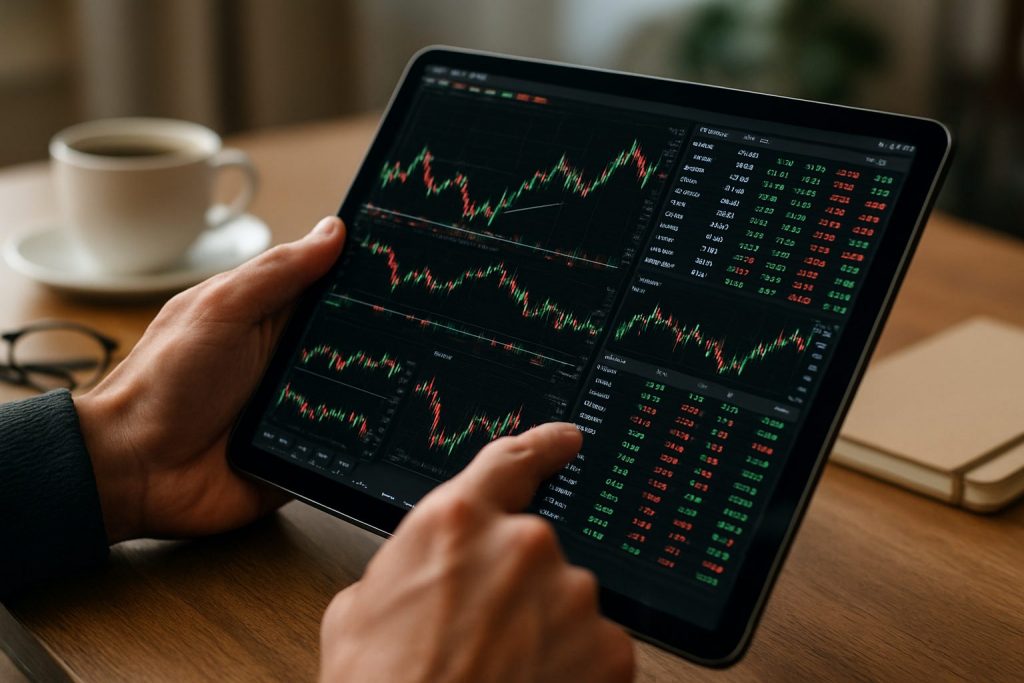
Can I day trade on a tablet? Yes — day trading on a tablet is possible with the right tablet trading setup, apps, and connectivity.
Tablets have become legitimate tools for day trading, blending portability and power for traders who need to act fast in the financial markets. With modern processors, high‑refresh screens and robust mobile trading apps, a tablet can deliver real-time quotes, charting and order execution that once required a laptop. This guide explains what matters for tablet trading, which models perform well in 2025, and how to prepare a tablet for reliable mobile trading and trading on the go. It is not intended for US residents and does not constitute financial advice; rather, it helps newcomers match hardware to strategy and match their chosen trading platform such as Pocket Option, Quotex, or Olymp Trade. For deeper technical reading on price action and execution tactics, see resources like tradingpriceactiononfutures.com, which can help connect device choice with trade technique.
Tablet trading essentials for day trading: what to prioritise
Choosing a tablet for day trading requires focus on a few hardware and software pillars: display clarity for quick chart reads, a fast processor for smooth multi-app use, reliable connectivity, and battery life long enough to span active sessions. Traders should treat the tablet as the core of a mobile setup rather than a simple secondary screen.
- Display: look for high resolution and at least 90–120Hz for chart fluidity.
- Processor: prefer recent multicore chips to reduce latency and redraw times.
- Connectivity: Wi‑Fi 6 and optional cellular for uninterrupted real-time quotes.
- Storage & backups: enough local space and cloud sync for logs and screenshots.
- Security: device encryption, strong passwords, and VPN for public networks.
| Spec | Why it matters for tablet trading | Practical target |
|---|---|---|
| Display | Clear candles, indicators and multi‑pane layouts reduce mistakes. | 11″+, 1200+ ppi equivalent, 90–120Hz |
| Processor | Handles simultaneous charts, news feeds and order fills. | Recent flagship mobile SoC or Intel Core equivalent |
| Battery | Prevents mid‑session shutdowns during high volatility. | 8+ hours real use |
Key insight: prioritise a responsive display and a fast chip — those two reduce costly execution delays.
Tablet compatibility with trading platform and stock market app
Not all apps behave the same across operating systems. A tablet must support chosen trading platform and the specific stock market app used for charting and orders. Confirm compatibility before buying.
- Check whether the platform offers a native app or a full-featured web app.
- Verify access to investment apps features like alerts, one‑click orders, and multi‑chart layouts.
- Ensure the tablet supports background data for live feeds and push alerts.
| OS | Typical strengths | Checklist for compatibility |
|---|---|---|
| iPadOS | Strong app ecosystem, stable performance | Confirm app has iPad-optimized UI; storage options |
| Android | Flexible installs, wide hardware range | Check Play Store availability or progressive web app functionality |
| Windows | Runs desktop trading platforms when needed | Confirm drivers, keyboard/pen support, and power profile |
For platform-specific walkthroughs and order routing strategies, consult detailed tutorials at tradingpriceactiononfutures.com. Insight: a tablet that matches the app (native vs web) will reduce friction and mistakes.
Best tablets for day trading in 2025: performance, value and reliability
In 2025 the best tablets for day trading balance a smooth display, responsive CPU and clean OS. Some standout models cover different budgets and workflows, from compact commuters to full portable workstations. Below is a concise selection with pros and cons to guide the choice.
- Samsung Galaxy Tab S8 — best overall performance for multitasking and display quality.
- iPad Air (M2) — balanced power and polished apps for charting.
- Microsoft Surface Pro 9 — ideal for traders needing desktop-grade Windows software.
- Lenovo Tab M10 Plus — value pick for reliable mobile trading without overspending.
- Amazon Fire HD 10 — budget choice to run web-based trading platforms after tweaks.
| Model | Strengths | Trade fit |
|---|---|---|
| Samsung Galaxy Tab S8 | 120Hz AMOLED, Snapdragon 8 Gen 1, DeX productivity | High-frequency charting, multi-app workflows |
| iPad Air (M2) | M2 chip, crisp 10.9″ display, iPadOS ecosystem | Smooth mobile trading apps and analysis |
| Microsoft Surface Pro 9 | Intel Core options, runs desktop platforms | Traders requiring full Windows software |
| Lenovo Tab M10 Plus | Affordable, solid screen, MediaTek G80 | Beginner mobile trading and monitoring |
Readers can match each model to their trading rhythm; detailed reviews and execution case studies are available at tradingpriceactiononfutures.com. Insight: pick the device that aligns with the chosen trading platform and workflow rather than chasing specs alone.
How to set up your tablet for reliable mobile trading and trading on the go
Setting up a tablet for mobile trading involves technical configuration and practical accessories. A disciplined setup reduces execution risk and improves response time when markets move.
- Install the chosen stock market app and enable push notifications for order fills and alerts.
- Use a VPN and two‑factor authentication to secure accounts connected to Pocket Option, Quotex or Olymp Trade.
- Prefer cellular backup or a secondary Wi‑Fi hotspot to maintain real‑time quotes during outages.
| Accessory | Purpose | Recommendation |
|---|---|---|
| Portable power bank | Extend session time away from outlets | USB-C PD 20,000 mAh |
| Keyboard / stand | Faster order entry and stable viewing | Detachable keyboard case or compact Bluetooth keyboard |
| SIM / eSIM | Cellular fallback for live data | Prepaid data plan or local roaming |
Practical steps: test order execution speed on your tablet before live trading; sync templates and indicators across devices; and rehearse failover to phone or laptop. For strategy alignment and trade management techniques, reference materials on market execution at tradingpriceactiononfutures.com can be useful.
Also consider integrating investment apps for alerts and news feeds so market moves are captured quickly. Final insight: redundancy wins — multiple data paths and quick device switchover reduce the chance of missed opportunities.
Questions about day trading on a tablet — practical answers
Can a tablet handle multiple charts and live market feeds?
Yes. Modern tablets with strong SoCs and 8+GB RAM can run several chart panes and live feeds, especially when apps are optimised. Prioritise devices with high refresh displays to reduce redraw lag and ensure the chosen trading platform supports multi‑chart layouts.
Is tablet trading secure for placing live orders?
Security depends on precautions: use two‑factor authentication, device encryption, and a reputable VPN on public Wi‑Fi. Keep apps updated and use the official apps for Pocket Option, Quotex or Olymp Trade where available. Always test small orders when moving to a new device.
What is the minimum tablet spec for effective day trading?
Minimum practical spec: a modern quad‑core CPU (or equivalent), 4–6GB RAM, 32–64GB storage, and a bright, high‑resolution display. However, a better processor and higher refresh rate materially improve execution and charting speed.
Can trading on a tablet replace a laptop for active traders?
For many traders, yes — tablets can handle day‑to‑day monitoring and quick executions. Power users who run desktop‑only platforms or heavy backtesting may still prefer a laptop or 2‑in‑1 Windows device. Design the setup around the tools and order types actually used in live strategy.
Where to learn more about execution and price action for tablet traders?
Technical execution guides and price action studies are essential to pair with any hardware choice. Explore resources and tutorials at tradingpriceactiononfutures.com to connect device setup with disciplined trade execution. Additional copies of the guide are available at tradingpriceactiononfutures.com and can be referenced during setup.

With over a decade of experience navigating global financial markets, I specialize in identifying trends and managing risk as a professional trader. My passion for economics drives my daily commitment to staying ahead in this fast-paced industry. Outside of the markets, I enjoy exploring technology like cryptocurrencies and new investment strategies.