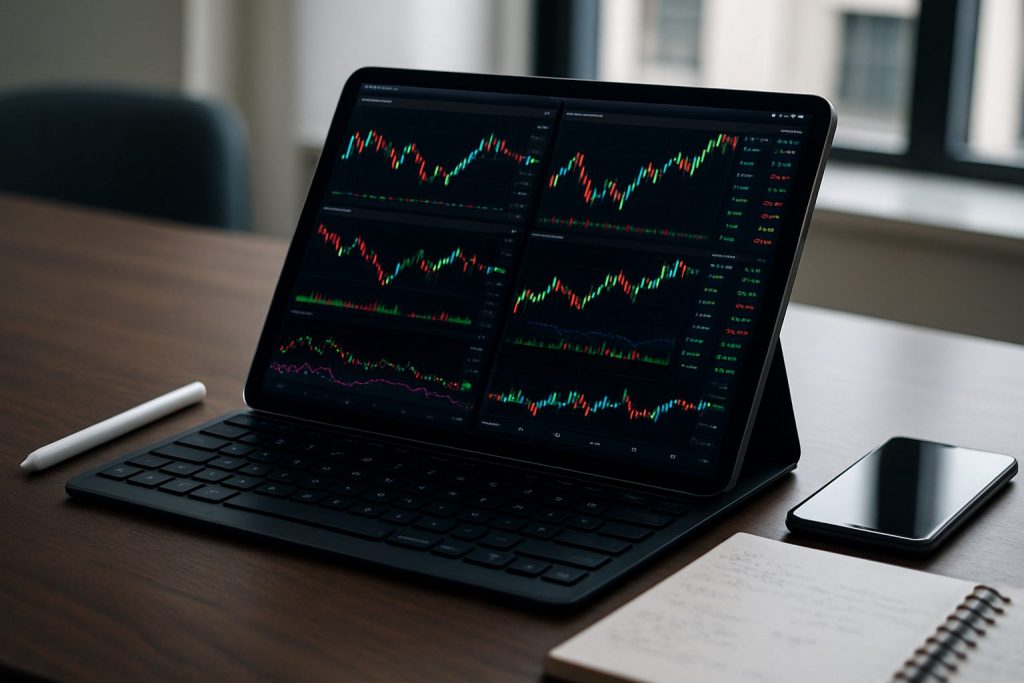
An iPad can be good enough for day trading when the model, screen setup, and trading platform meet the needs for real-time data and fast execution. Success depends on chosen iPad, trading apps (Pocket Option, Quotex, Olymp Trade), connectivity, and ergonomics.
For many traders an iPad offers compelling advantages: unmatched portability, long battery life and a growing ecosystem of trading apps that deliver real-time data and basic financial analysis. Yet day trading demands quick order entry, clear multi-chart views and minimal latency — factors that push some active traders toward larger, multi-monitor desktops. This piece explores how an iPad can be configured for serious mobile trading, which models are fit for purpose, and practical mitigations for its limits. It draws on concrete setups, recommended accessories and platform choices like Pocket Option, Quotex and Olymp Trade, and points to further reading for hands-on testing: Can I day trade on a tablet?. The goal is to help a new trader evaluate whether an iPad is the right primary or backup device for navigating the modern stock market and other markets.
Is an iPad good enough for day trading: performance, latency and real-time data
Assessing whether an iPad is sufficient starts with three technical questions: Can it show multiple charts clearly? Does it receive real-time data reliably? Can it execute orders with acceptable latency on your chosen trading platform?
- Evaluate the iPad model (screen size, CPU, RAM).
- Test the preferred trading apps (Pocket Option, Quotex, Olymp Trade) for charting and execution speed.
- Measure network stability and latency under trading conditions (Wi‑Fi vs. LTE/5G).
| Criteria | What to check on iPad | Practical threshold |
|---|---|---|
| Screen real estate | Model size (11″ vs 12.9″), split-screen support | 12.9″ iPad Pro or external monitor recommended |
| Processing power | CPU/RAM for multi-charting and indicators | M-series or top-tier A-series chip |
| Connectivity | Wi‑Fi 6/5G + reliable ISP | Sub-100ms round-trip for order execution |
| App support | Native app or responsive web platform | Full-featured app from Pocket Option, Quotex, Olymp Trade |
Example case: a speculative forex trader using an 12.9″ iPad Pro with LTE, running the Olymp Trade app and a Bluetooth keyboard can place trades reliably if the broker’s mobile execution is optimized. For deeper multi-chart strategies, the single iPad screen becomes restrictive. Practical insight: always run a latency and fill-quality test on your chosen broker and connection before committing real capital.
Key insight: An iPad can meet the raw performance and real-time data needs of many day traders, but confirm order execution quality on the specific trading platform.
Mobile trading setup: trading apps, accessories and portability optimized
Building a mobile trading station around an iPad prioritizes three pillars: efficient trading apps, ergonomic accessories and rock-solid connectivity. That trio turns the iPad from a convenience device into a practical day trading tool.
- Install the native apps for Pocket Option, Quotex, and Olymp Trade and confirm feature parity with desktop.
- Choose accessories: keyboard, stylus, portable monitor, and reliable charger.
- Plan for backup connectivity: a secondary SIM or mobile hotspot.
| Accessory | Purpose | Recommendation |
|---|---|---|
| Portable monitor | Increase chart real estate | USB-C 4K portable display with clamp |
| Keyboard & trackpad | Faster order entry and shortcuts | Magic Keyboard or compact Bluetooth keyboard |
| Connectivity | Reduce latency and outages | Dual-SIM LTE/5G iPad + mobile hotspot |
| Power | Continuous trading during long sessions | High-capacity PD power bank and USB-C charger |
Practical tips: keep a lean browser with only necessary tabs if using web platforms; enable push notifications for price alerts; map critical actions to keyboard shortcuts where possible. For step-by-step guidance on trading on tablets, see this hands-on resource and vendor pages like Pocket Option, Quotex and Olymp Trade.
Key insight: With the right apps and accessories, an iPad becomes a highly portable, capable trading station that preserves core day trading functionality.
Limitations when day trading on an iPad and practical mitigations
Even a well-equipped iPad has limits. Recognizing them and adding targeted mitigations preserves safety and execution quality when trading live.
- Screen real estate limits multi-timeframe and multi-instrument monitoring — mitigate with portable monitor or quick layout templates.
- Potential app feature gaps — mitigate by testing Pocket Option, Quotex and Olymp Trade mobile features against desktop before trading.
- Connectivity interruptions — mitigate with dual connectivity and predefined exit rules.
| Limitation | Risk | Mitigation |
|---|---|---|
| Limited multi-chart view | Missed signals across instruments | Use a second portable monitor or prioritized watchlist |
| App latency or feature gap | Slower fills, missing order types | Pre-test on demo account and keep OCO templates |
| Battery or power loss | Forced exits or inability to manage positions | Keep PD power bank and auto-close rules |
An illustrative scenario: a trader monitoring forex on Quotex notices a sudden drop in connectivity during a high-volatility candle. Because a hotspot backup and pre-set OCO limit were in place, the position management continued without losses. That anecdote shows the importance of contingency planning. For tactical guidance on tablet trading, traders may consult practical write-ups at tradingpriceactiononfutures.com and the official support pages at Pocket Option, Quotex, and Olymp Trade.
Key insight: Limitations exist but are manageable: plan contingencies, test broker app performance, and add modest accessories to close most gaps.
Checklist before using an iPad for live day trading
- Run execution tests on demo accounts for Pocket Option, Quotex and Olymp Trade.
- Ensure real-time data and alerts function under mobile conditions.
- Secure dual connectivity and a power backup.
- Prepare simple order templates and defined exit rules.
- Carry a portable monitor and compact keyboard for longer sessions.
| Pre-live test | Why it matters |
|---|---|
| Order fill latency test | Confirms execution quality on your iPad and network |
| App feature parity check | Ensures critical order types and indicators are available |
| Backup connectivity check | Prevents trading interruptions during volatile moves |
Key insight: A disciplined pre-live checklist separates a practical iPad trading plan from a risky experiment.
Further resources and reading
- Can I day trade on a tablet? — hands-on testing guidance.
- Pocket Option — mobile-first trading platform.
- Quotex — fast mobile charts and options.
- Olymp Trade — educational tools and mobile execution.
- Apple iPad product pages — compare technical specs and models.
Questions traders often ask
- Is the iPad Pro 12.9″ the only viable model for day trading? — It is often best for screen space, but 11″ models can work with a portable monitor.
- Do trading platforms on iPad have the same order types as desktop? — Many do, but it varies by broker; always verify in demo mode.
- Is mobile trading secure on an iPad? — Yes when using strong device security, platform 2FA and secure networks.
FAQ
Can an iPad replace a desktop for active day trading?
For many traders an iPad can serve as the primary device if paired with a portable monitor and robust connectivity, but traders requiring many simultaneous charts or ultra-low latency often keep a desktop as backup.
Which iPad model is best for day trading?
The 12.9″ iPad Pro is generally the best choice for screen space and performance; M-series chips and larger RAM improve multi-chart handling.
Are Pocket Option, Quotex and Olymp Trade reliable on iPad?
All three offer mobile apps or responsive web platforms; reliability varies by region and connection, so test execution and fills on demo accounts prior to live trading.
What are the must-have accessories for iPad day trading?
Portable monitor, compact keyboard, reliable power bank, and dual connectivity (SIM + hotspot) are among the essentials.
Where to read more about trading on tablets?
See practical guides and tests such as Can I day trade on a tablet? and vendor pages at Pocket Option, Quotex and Olymp Trade.

With over a decade of experience navigating global financial markets, I specialize in identifying trends and managing risk as a professional trader. My passion for economics drives my daily commitment to staying ahead in this fast-paced industry. Outside of the markets, I enjoy exploring technology like cryptocurrencies and new investment strategies.