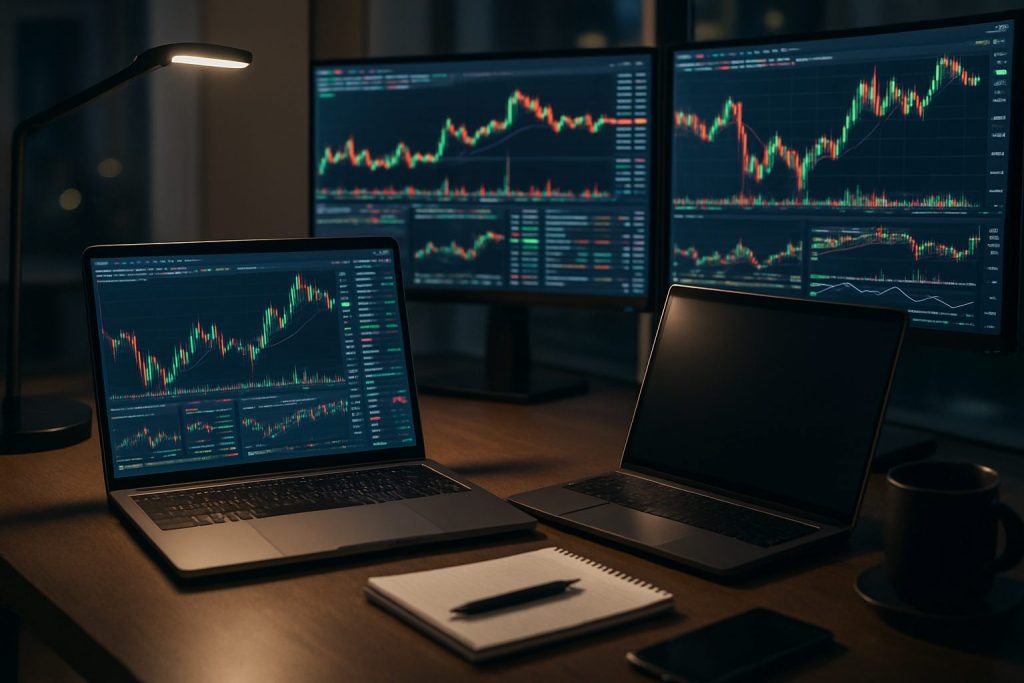
Do I need a backup computer for day trading? Yes — a backup computer for day trading is strongly recommended to protect trade continuity and trading reliability when a system failure or technical issues occur.
Markets move without warning, and a single hardware or network failure can turn a planned trade into a costly miss. This piece examines why a backup computer matters for day trading, how redundancy can be designed into a practical trading setup, and which components deliver the most resilience in the fast-paced world of the financial markets. Through the journey of a part-time trader named Alex who balances a day job with active intraday positions, the options for simple, intermediate and professional redundancy are explored with clear examples and checklists. Readers will find actionable advice on avoiding common pitfalls — from relying on weak Wi‑Fi to trusting a single storage drive — plus tangible hardware choices that preserve execution under pressure. The aim is to turn technical uncertainty into predictable outcomes so trades can be managed calmly when volatility spikes.
Why a backup computer improves trading reliability for day trading
When platforms freeze or a desktop shuts down, execution windows can close in seconds. A backup computer gives immediate access to the market and reduces slippage caused by delayed reconnects to brokers like Pocket Option, Quotex or Olymp Trade. Alex once lost an intraday scalp when a primary machine failed; the backup allowed closing the position with minimal damage.
- Protection against system failure: instant failover to keep orders flowing.
- Reduced stress during volatility: clearer decisions when tools remain available.
- Safer testing and updates: run platform updates on the backup before deploying on the main machine.
Key scenarios that justify a backup include sudden OS crashes, drive failures, or GPU/driver issues that disable multi‑monitor layouts.
Insight: maintaining a ready hardware backup turns unpredictable technical issues into manageable events.
How to choose a backup computer and essential hardware backup for day trading
Picking a backup should prioritize quick boot and connectivity over raw horsepower. For many traders, a modest laptop configured correctly is a more effective backup than an identical second tower. Alex uses a lightweight gaming laptop as a backup because it boots fast, supports external monitors, and runs the same platforms as the desktop.
- Minimum specs: modern quad‑core CPU, 16GB RAM, 500GB SSD (or better NVMe).
- Recommended for active intraday: i7/Ryzen 7, 32GB RAM, NVMe SSD, mid‑range GPU with multiple display outputs.
- Portability: laptop backups allow reconnecting from alternative locations or hotspots.
For deeper reading on whether a desktop is required and the role of gaming hardware in trading, compare approaches at these resources: do I need a desktop PC to day trade? and do I need a gaming PC for day trading?.
| Use Case | Backup Choice | Key Specs | Why it helps |
|---|---|---|---|
| Higher-timeframe trader | Laptop + 1 external monitor | i5/Ryzen 5, 16GB, SSD | Quick failover, low cost, sufficient for slower charts |
| Active intraday trader | Secondary desktop or gaming laptop | i7/Ryzen 7, 32GB, NVMe, mid GPU | Handles multiple charts, scanners, and order windows |
| High-volume/proprietary style | Full spare workstation | High-end CPU, 64GB+, multi‑port GPU, NVMe RAID | Minimal lag when switching, matches primary performance |
Insight: choose the backup that mirrors the tasks needed for your strategy — simplicity for higher timeframes, more power for heavy scanning and low‑latency execution.
Internet and power redundancy to protect trade continuity
A backup computer helps, but without redundant internet and power the advantage is limited. Alex keeps a wired Ethernet line as primary, a cellular hotspot as secondary, and a UPS to ride through short outages. These layers reduce the chance that a single point of failure breaks trade continuity.
- Primary connection: wired Ethernet with 300 Mbps+ where possible.
- Secondary connection: mobile hotspot or alternative ISP; test switching under load regularly.
- Power protection: UPS for graceful shutdowns and a generator for extended outages.
Useful router features include QoS to prioritize trading traffic and stable thermal design to avoid overheating under load. If a broker connection drops, logging into platforms on the backup machine while switching to the hotspot often prevents forced liquidations.
Insight: redundancy across internet and power preserves the value of a backup computer — both layers are required for true trade continuity.
Trading setup examples and a redundancy checklist for reliable day trading
Different trading styles demand different redundancy levels. The following checklist and table help match resources to needs so capital is used efficiently rather than spent on unused complexity.
- Checklist: keep a clone image of your primary system, install broker platforms on the backup, maintain up‑to‑date drivers, and rehearse failover drills monthly.
- Software: install the same versions of charting tools and the broker apps (Pocket Option, Quotex, Olymp Trade) on both machines.
- Practice: simulate system failure during low-risk hours to verify you can switch in under two minutes.
| Level | Typical Setup | Redundancy Elements | Estimated Cost Range |
|---|---|---|---|
| Beginner / Higher timeframe | Laptop + 2 monitors | Simple backup laptop, hotspot, UPS | $800–$1,500 |
| Intermediate / Active intraday | Desktop + backup laptop, 3–4 monitors | Secondary workstation, NVMe clone, wired + hotspot, UPS | $1,500–$3,000 |
| Professional / Prop desk | Primary tower + identical spare, 6+ monitors | Redundant power, multi-ISP, full hardware mirroring | $4,000+ |
For context on whether a professional platform is necessary and how desktop choices affect performance, see this discussion of platform needs and hardware: do I need a professional platform to start day trading? and revisit desktop vs laptop tradeoffs at do I need a desktop PC to day trade?. More thoughts on gaming PC suitability are also relevant: do I need a gaming PC for day trading?
Insight: match redundancy to actual trading needs and rehearse failover — prevention is cheaper than recovery.
Practical next steps for traders ready to act: clone system images weekly, keep a charged backup laptop on the desk, test hotspot switching, and ensure broker logins are saved (securely) on both machines. These steps convert a backup computer from a theoretical safety net into actionable reliability.
Q: How quickly should a backup computer be ready to take over?
A: Aim to resume order entry within 1–3 minutes; rehearsed failovers often reduce this to under a minute.
Q: Can a smartphone replace a backup computer for trade continuity?
A: A phone can close urgent positions, but it lacks the speed and multi‑window visibility needed for sustained day trading; use it as a last-resort bridge.
Q: How often should backup systems be tested?
A: Monthly drills are recommended; test after any platform update or network change.
Q: Is a backup computer necessary if trading longer timeframes?
A: It remains useful but less critical — for higher-timeframe traders a simple laptop backup usually suffices.
Q: Should broker platforms be installed on the backup machine?
A: Yes — install and keep them updated on both machines so there is no delay during a switch.

With over a decade of experience navigating global financial markets, I specialize in identifying trends and managing risk as a professional trader. My passion for economics drives my daily commitment to staying ahead in this fast-paced industry. Outside of the markets, I enjoy exploring technology like cryptocurrencies and new investment strategies.