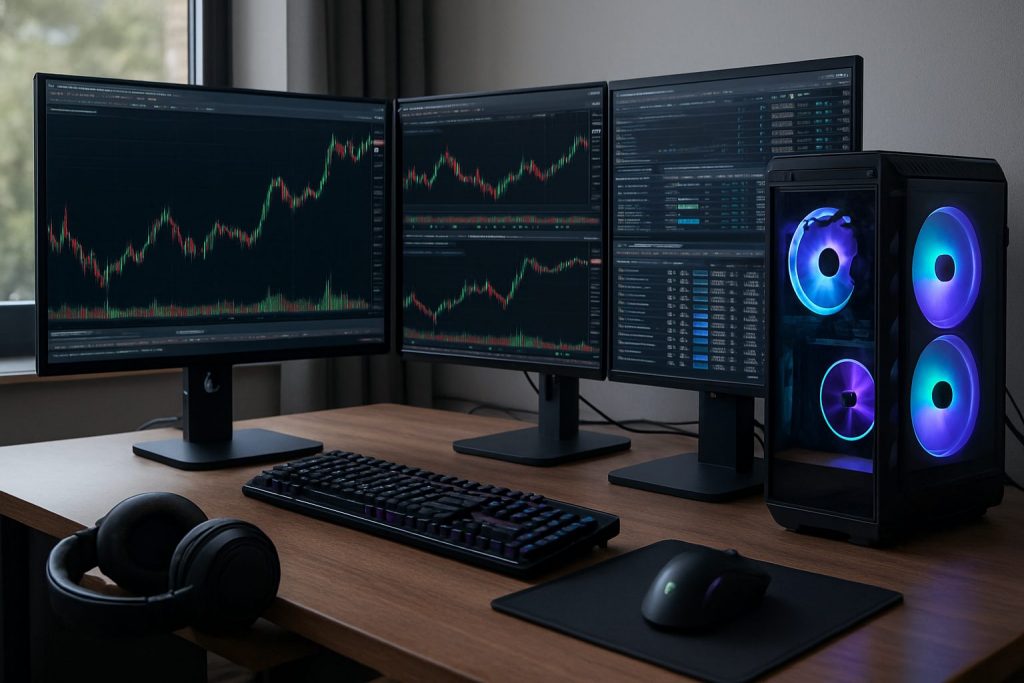
Do I need a gaming PC for day trading? No — a gaming PC is not required for day trading; a well-configured trading computer with good processor speed, SSD storage and sufficient RAM is what matters.
Not for US residents. A clear, calm desk and reliable tools matter more than flashy hardware. For those starting or refining a setup, the key is matching the machine to the trading software and the chosen workflow: lightweight browser platforms demand little; heavy desktop software and many charts demand more. The following overview explains what hardware truly influences execution — from processor speed and RAM to graphics card needs, latency sensitivity and optimal multi-monitor setup. Practical examples, two realistic build tables, and resources help the trader choose without overspending. For deeper context about platform choice and whether a desktop is necessary, see this practical guide on platform requirements and this article about desktop needs for active traders: platform guidance and desktop decision. The honest advice: focus on stability, connection, and process rather than a top-tier gaming PC.
Minimum trading computer specs for day trading and why they matter
Hardware baseline translates directly into consistent platform responsiveness. For trading, the combination of processor, RAM, and fast storage reduces pauses when charts redraw or a trade needs fast confirmation. A modest modern CPU with an SSD and 16–32 GB of RAM covers most scenarios.
- Processor speed: A modern quad-core with good single-thread performance keeps charting and order execution snappy.
- RAM: 16 GB is baseline; 32 GB gives headroom for many charts, browser tabs and a journal app.
- Storage: NVMe or SATA SSD eliminates disk lag when loading workspaces.
- Graphics card: Integrated graphics handle two monitors; a basic dedicated GPU is needed only for 3+ displays.
- Latency: Internet stability and wired Ethernet beat raw CPU power for execution reliability.
| Component | Minimum (practical) | Recommended for active day trading |
|---|---|---|
| CPU | Modern quad-core (good single-core) | 6-core / strong single-thread performance |
| RAM | 16 GB | 32 GB for many charts |
| Storage | 256 GB SSD | 500 GB NVMe SSD |
| GPU | Integrated (2 monitors) | Basic dedicated card for 3+ monitors |
| Connection | 25 Mbps stable, wired | 50+ Mbps fiber, wired + mobile hotspot backup |
A quick example: a used office desktop with an i5, 16 GB RAM and an SSD often outperforms a laptop on flaky Wi‑Fi for order execution. The key takeaway: prioritize SSD, RAM and wired internet before splurging on a high-end GPU.
Gaming PC vs trading computer — practical differences in performance and cost
The term gaming PC evokes high-end GPUs and flashy cases, but most day trading tasks do not need those extras. The real performance drivers for trading are CPU responsiveness, RAM capacity, SSD speeds and a reliable network connection. Gaming hardware often adds cost without execution benefit.
- Gaming rigs emphasize GPU throughput and high refresh rates — valuable for rendering fast 3D frames, not for candlestick redraws.
- Trading-focused builds prioritize processor speed and RAM for many processes and browser tabs.
- A mid-range dedicated graphics card helps only when running a multi-monitor setup with 3–4 displays.
| Attribute | Typical gaming PC | Typical trading computer |
|---|---|---|
| GPU | High-end (RTX series) | Integrated or basic dedicated (GT 1030 / similar) |
| CPU | High core counts and high clocks | Strong single-core performance, 4–6 cores preferred |
| Cost | Often high due to GPU | Better value per dollar for trading needs |
| Use case | Gaming, streaming, content creation | Charting, order entry, data logging |
An anecdote: a trader with a flashy RTX setup found chart redraws improved only after switching from Wi‑Fi to wired fiber and adding an SSD — the GPU was irrelevant. Insight: spend on connection and storage before chasing high-end GPUs.
Monitor choices, multi-monitor setup and reducing latency for better execution
Screen layout and connection stability shape real-time decisions. A comfortable multi-monitor setup with two quality displays often beats an overcomplicated array of four monitors. Meanwhile, latency and packet stability directly affect order fills and stop execution.
- Two 27″ 1440p IPS monitors are the sweet spot for readability and space.
- Use Ethernet rather than Wi‑Fi; keep a mobile hotspot configured as backup.
- Avoid ultrawide and high-refresh gaming monitors — they add cost without execution gains.
Practical desk layout:
- Primary monitor centered with DOM and execution chart.
- Secondary monitor angled for higher timeframes, news, journal or watchlists.
- Phone hotspot and UPS ready for outages.
For further reading on desktop choices and platform needs, visit this guide on platform choice and desktop necessity: platform guidance and desktop decision. Also consider checking execution and broker tool compatibility with chosen brokers such as Pocket Option, Quotex, and Olymp Trade.
Key point: two quality monitors plus a stable, low-latency wired connection outperform flashy hardware when it comes to reliable execution.
Budget builds and sensible upgrades for a reliable trading computer
Money saved from unnecessary GPU upgrades can be reinvested into connectivity, backups, or trading capital. Three typical tiers serve most traders’ needs: refurbished budget, balanced new build, and high-end for heavy multi-chart users.
- Refurbished office PCs with SSDs handle browser-based platforms well for low cost.
- Balanced new builds (modern CPU + 32 GB RAM) cover most serious day trading workflows.
- High-end builds are justified only for many simultaneous charts and desktop-only heavy software.
| Tier | Example spec highlights | When to choose |
|---|---|---|
| Budget (~$500) | Used i5, 16 GB RAM, 256 GB SSD, 1 monitor | Browser platforms, single-screen trading |
| Balanced (~$1,000) | Modern 6-core CPU, 32 GB RAM, 500 GB NVMe, 2x 27″ 1440p | Most active traders, 2-monitor workflow |
| High-end (~$2,000+) | Faster CPU, 32+ GB RAM, dedicated GPU for 3+ monitors | Heavy desktop software with many indicators and charts |
Simple upgrade path: add a second monitor, increase RAM, then improve storage or add a small dedicated GPU for extra display outputs. The most impactful additions for execution are a wired fiber connection and a tested backup path. Final thought: hardware should support the trading plan, not replace disciplined risk management.
Practical checklist before buying
- Confirm the chosen trading software runs well on a test machine or trial account.
- Prioritize wired internet, UPS and a phone hotspot for backup.
- Plan monitor layout first — buy monitors that match height and resolution.
- Spend on RAM and SSD before a high-end GPU for trading needs.
- Keep spare peripherals and a laptop backup available for travel or outages.
Final insight: start with a sensible, stable setup and scale hardware only when the trading method truly requires it.
Useful resources and links — explore platform and desktop guidance: platform guidance, desktop decision, and broker sites: Pocket Option, Quotex, Olymp Trade.
Quick takeaway: A dedicated gaming PC is not necessary; invest in a balanced trading computer, stable wired internet to reduce latency, and the right multi-monitor setup to improve execution.
Questions traders often ask
Do I need a gaming PC to trade multiple charts?
No — multiple charts are best supported by more RAM and an SSD; a basic dedicated graphics card only becomes necessary when driving three or more monitors.
How much does processor speed matter for day trading?
Processor speed matters for chart redraws and running many processes. Choose a CPU with strong single-core performance and 4–6 cores for reliable responsiveness during busy sessions.
Can a laptop be sufficient for day trading?
Yes — a laptop with 16+ GB RAM, SSD and wired Ethernet (via dock) can handle trading, though screen real estate is limited. Use an external monitor to improve execution and visibility.
What is the single best upgrade for a slow trading setup?
Swap any mechanical drive for an SSD first. Next, add RAM to reach at least 16 GB. Both upgrades yield immediate, measurable performance improvements.
How essential is a backup internet connection?
Crucial. A secondary mobile hotspot and a small UPS can prevent a single outage from causing a costly failure to exit or manage trades.

With over a decade of experience navigating global financial markets, I specialize in identifying trends and managing risk as a professional trader. My passion for economics drives my daily commitment to staying ahead in this fast-paced industry. Outside of the markets, I enjoy exploring technology like cryptocurrencies and new investment strategies.