
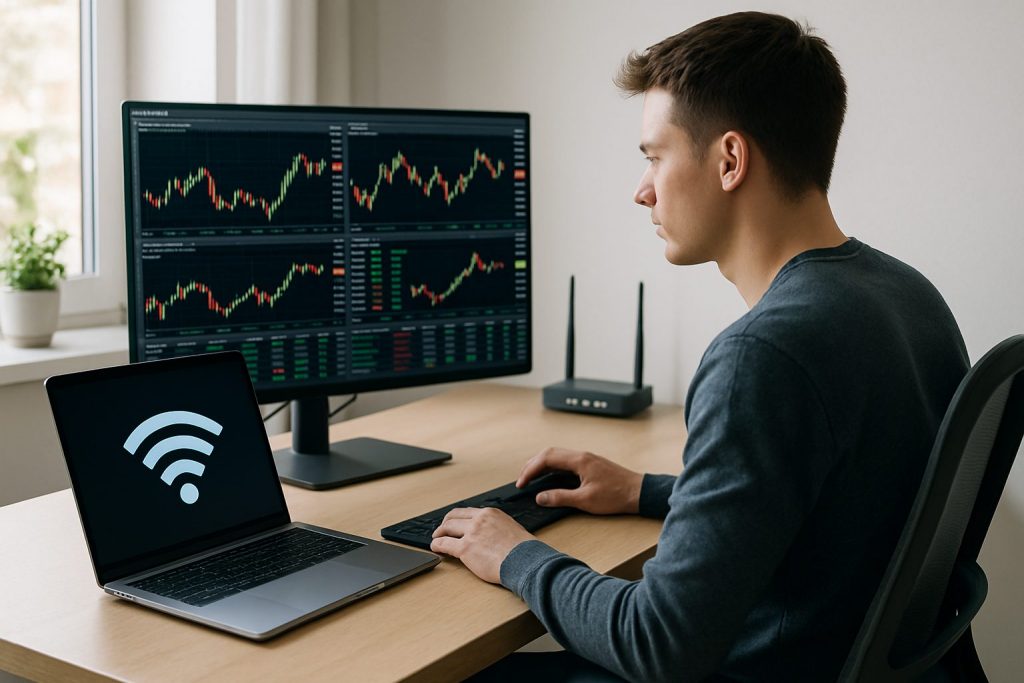
Can I day trade with Wi‑Fi? Yes — day trading with Wi‑Fi is possible, but Wi‑Fi often brings higher latency and jitter than wired setups, so extra precautions are essential.
Can I day trade with Wi‑Fi? Aim for a stable internet connection, low packet loss, and a tested backup to protect online trading positions on the stock market.
For active day trading, the invisible hero is not raw Mbps but a steady, low‑latency connection that never drops at a critical moment. Many home traders rely on Wi‑Fi because it’s convenient, but Wi‑Fi is a wireless network that can suffer interference, jitter and unpredictable spikes — all of which matter far more than headline download speeds. This piece explains what to test, what to upgrade, and how to build simple failover so mobile trading or desktop sessions don’t end with a blocked order. Short anecdotes and a practical checklist make it easy for a new trader to decide whether to trust Wi‑Fi during volatile market hours. The goal: keep trades aligned with market reality and avoid costly slippage by prioritizing latency, reliability, and a backup plan.
Can I day trade with Wi‑Fi? What internet connection do day traders actually need
Not all connections are created equal for day trading. The most important metrics are latency, packet loss and stability, not just download speed. A household example: a trader named Alex uses a laptop with a trading platform on three charts — the Wi‑Fi in a busy apartment caused jitter during market open, leading to delayed fills; switching to Ethernet and keeping a phone hotspot as backup fixed the issue.
- Prioritize latency under 60 ms for manual day trading; under 20 ms is ideal.
- Target at least 50–100 Mbps download if multiple charts, news feeds, and streaming run simultaneously.
- Check for packet loss and jitter using speedtest sites and ping tools at market hours.
| Connection Type | Typical Speed | Typical Latency | Reliability | Trading Rating |
|---|---|---|---|---|
| Fiber optic | 100–2,000 Mbps | 5–15 ms | Excellent | Best Pick |
| Cable | 50–500 Mbps | 15–50 ms | Good | Solid Choice |
| DSL | 10–100 Mbps | 25–80 ms | Moderate | Acceptable |
| 5G / Mobile hotspot | 50–300 Mbps | 15–50 ms (variable) | Variable | Backup only |
| Satellite (old) | 10–50 Mbps | 500–700 ms | Poor | Not Suitable |
Key insight: For online trading, a stable wired connection usually outperforms any Wi‑Fi plan with higher headline speed.
Latency and reliability for day trading with Wi‑Fi vs Ethernet on a trading platform
Wi‑Fi can work for casual monitoring or mobile trading, but its strengths and weaknesses must be measured in practice. Wireless networks introduce jitter — short, unpredictable spikes in delay — which is what undermines order execution and causes slippage when the market moves rapidly.
- Run speed tests at market open and close to capture real-world performance.
- Look for consistent ping numbers rather than only high download Mbps.
- Keep Wi‑Fi devices (phones, smart home gadgets) off during critical sessions to reduce interference.
Practical example: a day trader using Wi‑Fi 6 close to a router achieved stable 25 ms pings, but moving to another room doubled latency and caused missed fills. The physical distance and obstacles often matter more than ISP speed tiers.
Key insight: Consistency beats peak speed; a steady 30 ms Ethernet link is preferable to a fluctuating 15–150 ms Wi‑Fi connection.
Failover and backup strategies for day trading on a wireless network
Every experienced trader plans for the outage that will happen at the worst time. Important layers include a phone hotspot, a secondary ISP, and a small UPS to keep networking gear alive during brief power glitches. These layers reduce the chance that a single Wi‑Fi hiccup turns into a disaster on the stock market.
- Layer 1: Phone hotspot — quick startup, good for minutes to an hour.
- Layer 2: Secondary ISP or dedicated 5G hotspot — keeps sessions alive for longer outages.
- Layer 3: UPS for router/modem to survive short power losses.
| Backup Layer | Typical Cost | Activation Time | Best Use |
|---|---|---|---|
| Phone hotspot | Free–$15/month (data) | 10–30 sec | Emergency recovery during session |
| Dedicated 5G hotspot | $50–150 device + $20+/month | Instant | Reliable secondary link |
| Dual-WAN router | $100–300 | Automatic | Seamless failover without manual steps |
| UPS battery | $60–150 | Immediate | Short power outages protection |
Key insight: A multi-layered backup approach turns Wi‑Fi from a single point of failure into an acceptable risk for day trading.
Practical checklist to day trade safely with Wi‑Fi and improve mobile trading
Before the market opens, run through a short checklist to verify the trading environment. Making these checks routine reduces stress and protects capital by ensuring the trading platform reflects real‑time market prices.
- Plug into Ethernet when possible; keep a short Cat6 cable at the desk.
- Test hotspot performance and keep the phone charged and on Do Not Disturb while trading.
- Use a UPS for router/modem and keep router firmware current.
- Save your broker’s trade desk phone number and account details offline for emergencies.
Example case: a remote trader relied on airport Wi‑Fi while traveling and set tight stop orders; when the connection lagged during a flash move, the stop didn’t fill at the expected price. The lesson: never rely on public Wi‑Fi for full trading control without a tested backup.
Key insight: Routine checks and simple gear (Ethernet cable, hotspot, UPS) deliver the reliability needed to day trade safely even when primary reliance is on Wi‑Fi.
Common questions about day trading with Wi‑Fi
Q: What internet speed do I need for day trading?
A: Aim for at least 50–100 Mbps download with low latency; more important is latency under 60 ms and near‑zero packet loss.
Q: Is Wi‑Fi good enough for serious day trading?
A: Wi‑Fi can be used, but it’s not ideal. For serious online trading, a wired Ethernet connection plus a tested backup is recommended to minimize slippage and execution delays.
Q: Can a phone hotspot be a reliable backup?
A: Yes — a modern 4G/5G hotspot often provides enough bandwidth for a trading platform in an emergency, but performance is variable; always test it before relying on it.
Q: How does latency affect my trades?
A: Higher latency increases the chance of slippage — orders filling at different prices than shown. Keeping latency low and stable preserves execution quality.
Q: What simple upgrades yield the biggest difference?
A: Plugging into Ethernet, adding a small UPS for networking gear, and having a secondary mobile hotspot or ISP provide the best reliability gains for modest cost.

With over a decade of experience navigating global financial markets, I specialize in identifying trends and managing risk as a professional trader. My passion for economics drives my daily commitment to staying ahead in this fast-paced industry. Outside of the markets, I enjoy exploring technology like cryptocurrencies and new investment strategies.