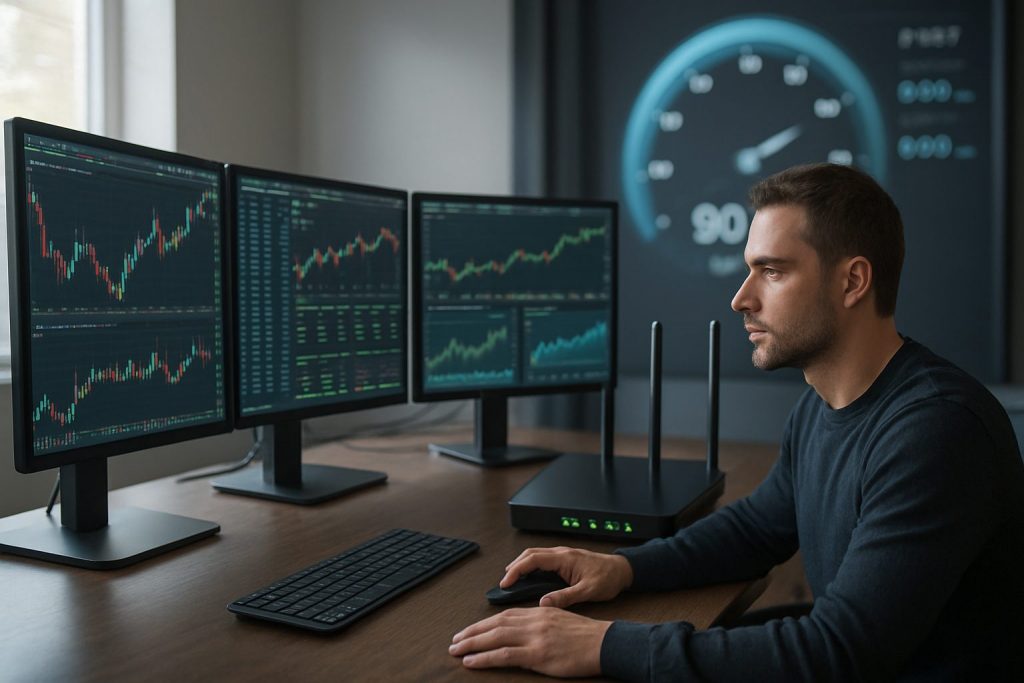
How fast should my internet be for day trading? Aim for a stable connection with at least 25 Mbps download, 5 Mbps upload and a ping time under 30 ms for reliable real-time data and low latency (not for US residents).
Fast markets demand more than raw bandwidth: day trading thrives on a stable connection, consistent download speed and low ping time so orders hit the exchange when intended. Traders using multiple charts, live news feeds and several trading platforms need both adequate bandwidth and low latency to avoid slippage. Hardware matters too — a dedicated trading machine or a reliable laptop with a wired Ethernet link reduces jitter compared with Wi‑Fi. For those running light setups or mobile rigs, focus on upload speed for order submission and a failover plan (mobile hotspot or backup ISP) to keep positions manageable during outages. Links to practical guides about devices and platform choices are useful: whether day trading on a laptop, desktop, Chromebook or Linux system, ensure the internet plan and backup strategy match the pace of execution required by the chosen trading platform.
Recommended internet speed for day trading — baseline and pro setups
Choosing an internet plan starts with the typical use-case: single-chart traders have different needs than multi-monitor scalpers. Prioritize stable throughput over headline figures; sustained download speed and predictable upload speed reduce execution surprises.
- Baseline retail day trader: reliable broadband, wired Ethernet, and modest bandwidth.
- Active multi-chart trader: higher bandwidth, lower latency, and QoS on the router.
- Scalper/automated strategy: enterprise-grade latency and redundant connections.
| Use case | Download speed | Upload speed | Ping time (target) | Notes |
|---|---|---|---|---|
| Beginner day trader | 25–50 Mbps | 5–10 Mbps | <50 ms | Good for single-platform work and streamed charts. |
| Active day trader (multi-monitor) | 50–200 Mbps | 10–50 Mbps | <30 ms | Supports multiple feeds, news streams, and charting tools. |
| Scalper / algo trader | 200+ Mbps | 50+ Mbps | <20 ms | Low latency and redundancy are critical; consider colocating or premium ISP. |
Practical device reads: check articles on whether a cheap Windows laptop is good enough, or if a desktop/gaming PC is preferred. See guides on cheap Windows laptop suitability, desktop requirements and trading on a laptop. Insight: choose an internet tier that fits the number of live feeds and the latency tolerance of the strategy.
Latency, ping time and stable connection for real-time data
Execution speed depends heavily on low latency and consistent ping time. Even with high download bandwidth, jitter and packet loss can cause delayed fills or missed opportunities. Wired connections and QoS settings help prioritize trading traffic over background downloads.
- Measure ping time to the broker or exchange during market hours.
- Test for jitter and packet loss; any consistent packet loss is a red flag.
- Prefer Ethernet to Wi‑Fi for mission-critical orders; use 5 GHz Wi‑Fi only as fallback.
| Metric | Ideal value | Why it matters |
|---|---|---|
| Ping time | <30 ms | Faster acknowledgement for market orders; reduces slippage. |
| Jitter | <10 ms | Ensures consistent packet delivery; critical for streaming ticks. |
| Packet loss | 0% | Loss causes retransmits and delays; unacceptable for live trading. |
Tooling helps: continuous ping monitors, router QoS and secondary connections. For platform-specific notes, review whether a professional platform is needed and how different OS choices affect latency; see resources on professional platforms, trading on Linux and trading on a Chromebook. Insight: latency reduction yields the most tangible improvement for order execution, often more than raw bandwidth increases.
Backup plans, hardware choices and trading platform resilience
Outages happen. A clear failover plan preserves capital and emotional control. Backup options range from a mobile hotspot to a secondary ISP or a remote VPS for order routing. The hardware stack — from router to PC — must be tuned to reduce latency and ensure a rapid switch when needed.
- Keep a tested mobile hotspot or secondary ISP for immediate failover.
- Consider a backup computer or a lightweight laptop for connectivity issues — see guidance on backup computers.
- Use a reliable router with QoS and dual-WAN if possible.
Decisions about machine type influence latency and reliability: check whether a gaming PC or regular workstation is necessary for the selected strategies. Read comparisons on gaming PC needs and whether a MetaTrader setup is supported on your device in MetaTrader 5 compatibility. Insight: a tested failover and simple hardware checklist reduce stress and protect positions when markets move fast.
Key takeaway: Balance between sufficient bandwidth and truly low latency; pair that with a stable wired connection and a tested backup plan to keep trading decisions anchored in real-time data.
Questions traders often ask
How much internet speed do I really need for multiple charts?
For several live charts and news, aim for 50–200 Mbps download and 10–50 Mbps upload with ping time under 30 ms. Use wired Ethernet and router QoS to prioritize the trading platform.
Is low latency or high bandwidth more important?
Low latency and stable ping time matter most for execution; high bandwidth only matters when streaming many feeds or large volumes of data simultaneously.
Can a cheap laptop be enough?
Yes for learning and light day trading, but ensure wired connectivity and check guides on cheap laptop suitability and day trading on a laptop. For heavy multi-monitor or automated setups, a more powerful machine or desktop is recommended.
What backup is essential if the main internet fails?
At minimum: a mobile hotspot and a tested secondary ISP or VPS. See detailed advice on maintaining a backup computer as part of continuity planning.
Should trading be done via Wi‑Fi or Ethernet?
Prefer Ethernet for lower jitter and packet loss; Wi‑Fi can be used as an emergency fallback. Proper setup reduces the chance of missed orders due to network instability.

With over a decade of experience navigating global financial markets, I specialize in identifying trends and managing risk as a professional trader. My passion for economics drives my daily commitment to staying ahead in this fast-paced industry. Outside of the markets, I enjoy exploring technology like cryptocurrencies and new investment strategies.