
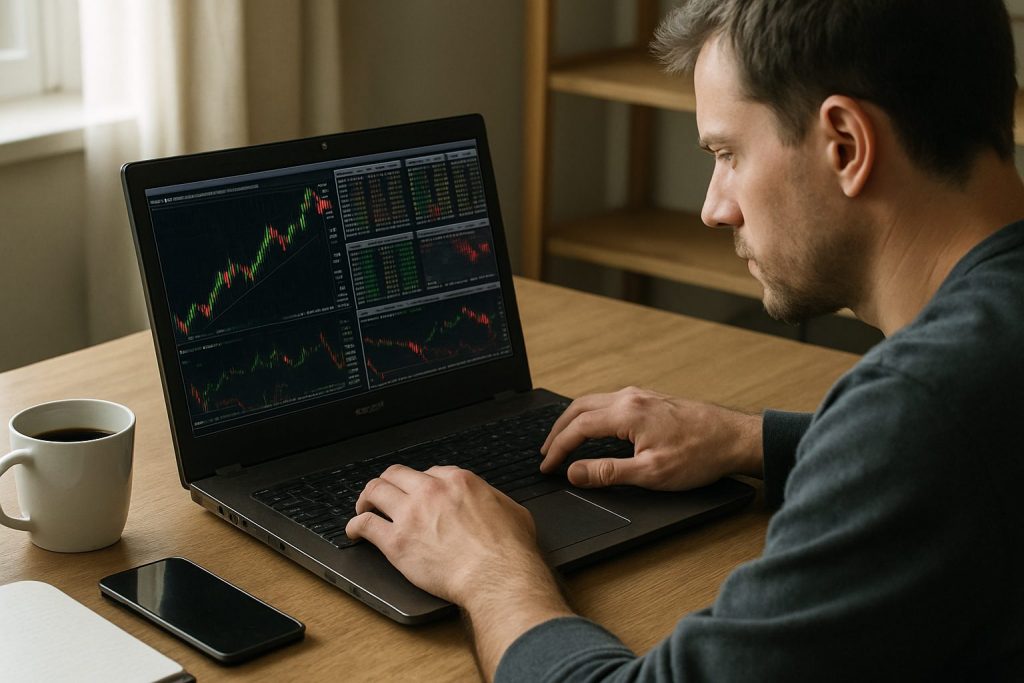
Is a cheap Windows laptop good enough for day trading? A cheap Windows laptop can be good enough for day trading for basic browser-based platforms, but it often falls short on processor speed, RAM capacity and reliable performance when handling intensive real-time data and multi-monitor setups.
For traders balancing tight budgets and performance, the choice between a cheap Windows laptop and a more capable machine is a practical trade-off. Day trading demands low latency, constant data feeds and stable order execution; a budget device may handle single-tab TradingView or browser-based platforms comfortably, yet struggle when multiple trading software instances and news feeds run simultaneously. The coming sections explain which components matter most — processor speed, RAM capacity, graphics card and ports for multi-monitor support — and how a modest laptop can be tuned into a dependable trading tool. A fictional trader, Maya, who trades forex and small-cap stocks while traveling, illustrates how a careful setup and a solid backup plan can turn a low-cost machine into a practical trading workstation. For traders worried about outages or crashes, consult a practical guide on backup systems here: backup computer for day trading. The next section examines real-world limits and how to bridge them with inexpensive upgrades.
Can a cheap Windows laptop handle day trading? Practical limits and real use
Assessing a cheap Windows laptop for day trading means distinguishing between light trading (single web platform, limited charts) and true day trading (multiple platforms, order routing, low-latency execution). A budget device can be fine for one, risky for the other.
- Light day trading: browser-only platforms, a few charts, one external monitor — usually OK.
- Active day trading: multiple trading software instances, streaming news, and charting — needs better specs.
- High-frequency or heavy multitasking: requires a dedicated, higher-end machine or desktop for reliable performance.
| Use case | Cheap Windows laptop (typical) | Risk |
|---|---|---|
| Browser-based trading (single platform) | Works well with 8–16GB RAM and mid CPU | Low |
| Multi-platform day trading | Often underpowered; slow chart redraw or freezes | Medium to High |
| Multi-monitor, real-time feeds | Needs better GPU/ports; cheap models struggle | High |
For a trader like Maya, a budget laptop handled morning watchlists fine but stuttered during high volatility; the key insight is that a cheap machine may work until market stress reveals its limits. See an operational backup plan here: do I need a backup computer for day trading?
Insight: a cheap Windows laptop is a practical starting point, but understanding limits is essential to avoid costly missed executions.
Key specs that matter for day trading on a cheap Windows laptop — processor speed, RAM capacity and more
Focus on components that directly affect order execution, chart refresh and system stability. Optimizing these gives the biggest return for a limited budget.
Processor speed and trading software responsiveness
Processor speed dictates how quickly trading software can process streaming ticks, redraw charts and run indicators. Choose the fastest CPU the budget allows.
- Minimum: modern dual-core with good single-core turbo (e.g., Intel Core Ultra 5 class or equivalent).
- Recommended for active traders: quad-core or better with strong single-core boost.
- Why it matters: trading software often relies on single-core performance for chart rendering and quick command execution.
| Processor class | Good for | Expectation |
|---|---|---|
| Entry-level (cheap) | Browser trading, light indicators | Possible lag with many feeds |
| Mid-range | Multiple platforms, several charts | Stable if paired with enough RAM |
| High-end | Heavy real-time use, many monitors | Reliable under stress |
Many traders underestimate single-core performance; a cheap multi-core chip with poor single-threaded boost will still feel sluggish under market pressure. Check backup considerations here: backup plan details.
Insight: prioritize strong single-core speed within the budget — it pays off in faster order handling.
RAM capacity and handling multiple real-time data streams
RAM capacity determines how many charts, tabs and tools can run without swapping. Low RAM forces disk use and causes stutters during volatility.
- Minimum for light trading: 8–16GB RAM.
- Recommended for active day trading: 32GB RAM to keep multiple platforms and streaming data smooth.
- Tip: soldered RAM on many cheap models means choose the right configuration at purchase.
Graphics card, displays and multi-monitor support
A discrete graphics card isn’t required for simple setups, but it helps with multiple external monitors and high-resolution charting. Cheap Windows laptops often use integrated GPUs that limit multi-monitor support.
- Integrated GPU: OK for one external monitor and web platforms.
- Discrete GPU or Thunderbolt/USB-C dock: better for two or more external displays.
- Monitors: prefer at least one external 24–27″ for charts; cheap laptop screens are often cramped.
Insight: if multi-monitor work is critical, budget for either a better GPU-enabled laptop or a docking solution; otherwise expect limits.
Practical setup for a budget trading computer and resilience strategies
Beyond raw specs, setup and redundancy determine whether a cheap Windows laptop becomes a reliable trading tool. A clear plan reduces the chance that hardware issues cost real money.
- Essential software stack: a light browser for TradingView, a dedicated trading app, a news feed and a communication app for alerts.
- Connectivity: wired Ethernet or reliable Wi‑Fi 6; avoid reliance on public networks during critical sessions.
- Backup computer strategy: keep a secondary device or a mobile hotspot ready — see the detailed guide: do I need a backup computer for day trading?
| Item | Budget option | Resilience tip |
|---|---|---|
| Primary laptop | Cheap Windows laptop with 16GB RAM | Disable unnecessary background apps; keep SSD healthy |
| Secondary device | Older laptop or tablet | Keep minimal trading app installed and synced |
| Internet | Home router + Wi‑Fi | Have a phone hotspot as fallback |
Insight: redundancy matters as much as raw power; a modest, well-planned setup with a backup reduces execution risk.
Trade-ready checklist and buying tips for a cheap Windows laptop (budget trading computer)
Selecting a cheap Windows laptop for day trading should be a measured process: match the machine to the trading style, and prioritize items that directly protect trades and reduce lag.
- Buy for swap-prone tasks: choose an NVMe SSD over HDD to avoid slow swap performance.
- Aim for at least 16GB RAM, upgrade to 32GB if possible for multiple streaming feeds.
- Prefer models with multiple USB-C/Thunderbolt or HDMI ports for multi-monitor support.
- Check thermal performance: cheap laptops often throttle under long sessions, harming reliable performance.
- Set up a lightweight OS profile: stop auto-updates during market hours and keep system restore working.
| Component | Minimum | Recommended |
|---|---|---|
| CPU | Recent dual/quad-core with good single-core turbo | Modern quad-core with high single-thread boost |
| RAM | 8–16GB | 32GB for active/day traders |
| Storage | 256–512GB SSD | 1TB NVMe SSD |
| Ports | 1 HDMI or USB-C | 2+ external display outputs or Thunderbolt |
Also review practical buying advice and a backup checklist at this resource: trading backup guide. Small investments in RAM, a docking station, and a cheap second device often outpace the cost of a missed trade.
Insight: with focused upgrades and operating discipline, a cheap Windows laptop can be a dependable trading companion for many traders.
Common questions about cheap Windows laptop and day trading
Is a cheap Windows laptop safe for executing live trades?
Yes for low-volume, browser-based trading, but for active day trading involving multiple simultaneous feeds, a cheap machine increases the risk of lag or freeze during volatile moments. Always test the setup under simulated load and keep a backup available via this guide: do I need a backup computer for day trading?
Which specs should be upgraded first on a budget laptop?
Upgrade RAM capacity and switch to an NVMe SSD first; they deliver the most noticeable improvement in responsiveness for trading software and handling real-time data.
Can a cheap Windows laptop support multiple external monitors?
Sometimes — through USB-C/Thunderbolt docks or HDMI outputs — but integrated graphics may limit resolution or refresh. For reliable multi-monitor support, consider a mid-range laptop with discrete graphics or a docking station.
Should mobile traders invest in a cheap laptop or a higher-end ultrabook?
If mobility and battery life are priorities, an ultrabook with solid specs is worth the extra cost. If trading is light and mostly browser-based, a cheap Windows laptop with strategic upgrades can suffice.
How to avoid missed trades with a budget setup?
Use wired internet when possible, keep resource-heavy apps closed during sessions, test the trading platform under load, and maintain a preconfigured backup device as outlined in this resource: backup computer for day trading.
Final insight: a cheap Windows laptop can be an entry point into day trading, but treat it as a tool to be optimized — not an ultimate solution. Investing selectively in RAM, storage, and connectivity, plus a resilient backup plan, gives the best protection for trades and peace of mind.

With over a decade of experience navigating global financial markets, I specialize in identifying trends and managing risk as a professional trader. My passion for economics drives my daily commitment to staying ahead in this fast-paced industry. Outside of the markets, I enjoy exploring technology like cryptocurrencies and new investment strategies.