
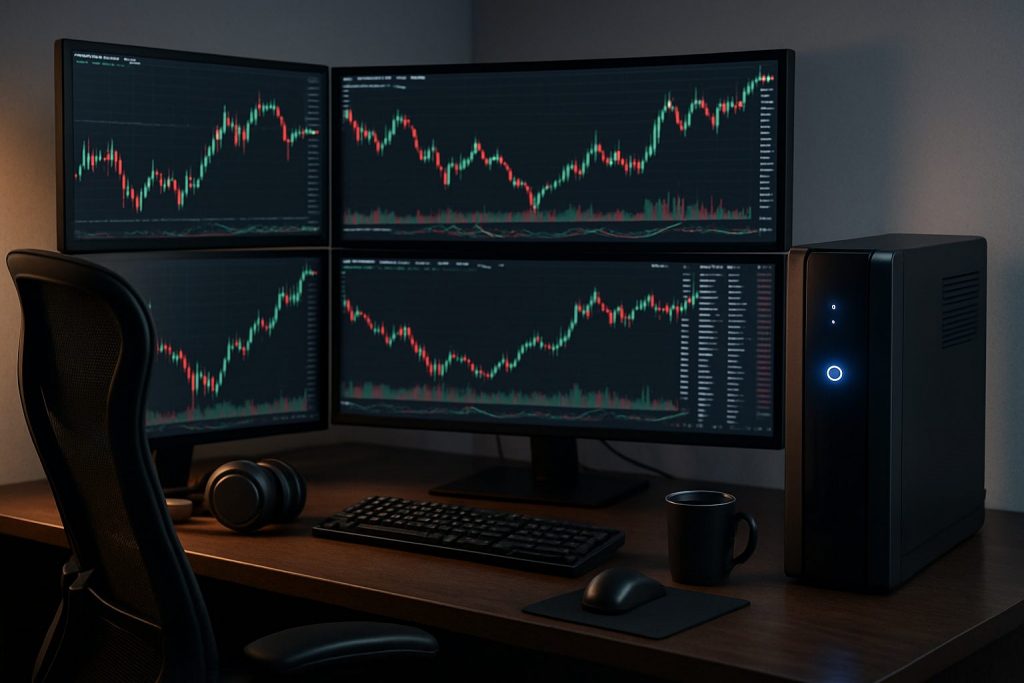
Do I need a UPS (uninterrupted power supply) for day trading? Yes — a UPS (uninterrupted power supply) is highly recommended to protect a trading computer and preserve an active trading session during a power outage or electrical interruption.
A reliable trading setup treats power as a leading risk: a sudden power outage can freeze orders, wipe charts, or interrupt price feeds on the stock market. For a day trader running multiple screens and live data, a UPS (an uninterrupted power supply) acts as immediate backup power and a buffer against voltage spikes. This piece follows the trading day of a fictional trader, Ana, who discovers that a single electrical interruption cost her a high-probability scalp. The narrative explains practical choices — from small UPS units that keep a laptop alive long enough to close positions, to online double-conversion systems that protect sensitive rigs and data. Along the way, readers will find comparisons, concrete sizing tips, and ways to couple a UPS with secondary internet sources to reduce total system risk. The emphasis is on clear actions to protect capital, maintain data protection, and preserve the integrity of every live trading session.
Uninterrupted Power Source – Why a UPS matters for day trading
Even brief outages can disrupt order execution and market visibility. A UPS bridges the split-second gap between grid failure and recovery, preventing sudden system shutdowns that lead to data loss and missed trades.
Ana once used a basic surge strip and lost an open position when her platform crashed during a momentary brownout. After switching to a line-interactive uninterrupted power supply, the next brownout left her screens intact and orders intact. The case shows that evaluating risk begins with assessing how long the backup power must sustain the setup and whether voltage regulation is needed.
- Immediate benefit: seamless transition during a power outage to keep trading platforms live.
- Protection: guards against spikes, sags, and brownouts that corrupt hardware or data.
- Time to act: provides minutes to save work, close positions, or switch to a secondary connection.
| Risk | What a UPS prevents | Typical trader impact |
|---|---|---|
| Momentary outage | Instant battery kick-in | Preserves platform state; allows order management |
| Voltage spike | Surge suppression / AVR | Protects trading computer and monitors |
| Extended outage | Limited runtime for controlled shutdown | Time to close positions or switch to backup internet |
Key insight: A UPS is not just about staying online; it’s about preserving data protection and the ability to manage risk when markets move fast.
Keep Your Trading Business Safe with UPS Battery Backup
Choosing the right UPS depends on the composition of the trading desk: multiple monitors, external data boxes, routers, and PC towers draw varying watts. Small laptop-centric setups need less capacity than high-powered desktop rigs.
Match the UPS to the actual load. Calculate wattage or VA requirements and allow a safety margin for spikes. Also consider combining a UPS with a secondary internet solution to survive both power and ISP interruptions — practical redundancy for resilient trading.
- Count the load: list all devices you want supported and total their wattage.
- Decide runtime: how many minutes of autonomy are needed — 5, 15, 60?
- Topology choice: standby, line-interactive, or online double-conversion.
Helpful links for internet redundancy and connectivity planning:
- Do I need backup internet for day trading?
- Is wired internet better than Wi‑Fi for day trading?
- How fast should my internet be for day trading?
- Can I day trade with mobile internet?
- Can I day trade with 4G?
| Setup type | Recommended UPS topology | Practical runtime goal |
|---|---|---|
| Single laptop + portable monitor | Standby or small line-interactive | 10–30 minutes |
| Desktop tower + 3 monitors | Line-interactive or online | 15–60 minutes |
| Server-grade rig + network gear | Online double-conversion | 30+ minutes or generator integration |
Key insight: Pairing a suitable UPS with a backup internet plan converts a single point of failure into a manageable event — protecting capital and reputation.
Watch practical demonstrations of UPS selection and runtime testing to visualize trade protection strategies.
UPS and Power Protection for Futures Traders: Picking the right unit for a trading computer
Different UPS topologies address different threats. A line-interactive UPS with AVR is sufficient for most home trading rigs, while sensitive, latency-critical environments may justify online double-conversion systems.
Consider maintenance: batteries age and hold less charge over time. Schedule battery checks and replacements. Also ensure the UPS allows safe shutdown sequencing for trading platforms and automated scripts.
- Battery lifecycle: replace according to manufacturer intervals to maintain effective runtime.
- Outage plan: define actions during electrical interruption — close trades, switch to Pocket Option/Quotex/Olymp Trade mobile apps, or use an approved backup broker flow.
- Connectivity pairing: use a UPS to power the router/modem as well, then test secondary mobile tethering as per guides like Can I day trade with 5G? and Can I day trade with Wi‑Fi?.
Ana’s routine now includes a weekly UPS test and a documented switch-to-mobile plan for short interruptions. This discipline cut unexpected losses and reduced stress during volatile sessions.
Key insight: The right UPS topology protects both the hardware and the ability to act — the true currency in day trading is time, and a UPS buys that time.
Practical checklist to implement today
- Inventory devices and compute total wattage.
- Decide desired runtime and choose topology.
- Purchase UPS with margin and reputable battery support.
- Power the router and modem from the UPS for internet continuity.
- Test failover procedures monthly and document steps.
Key insight: Rehearsed, simple procedures outperform complex plans during real outages.
Big table: Quick reference for UPS and day trading needs
| Question | Short answer | Suggestion |
|---|---|---|
| Do you need a UPS? | Yes for most active day traders | At minimum, a line-interactive UPS that supports PC + router |
| How long should it run? | Enough to close positions or switch to backup | 10–60 minutes depending on setup |
| Which topology? | Line-interactive usually; online for sensitive rigs | Choose online double-conversion for zero-tolerance environments |
| Internet during outage? | Use UPS-powered router + mobile tether | See backup options: mobile internet, 4G, satellite |
Key insight: A clear decision matrix simplifies buying and preserves trading capital under stress.
Operational tips and habits to protect trading sessions
Good hardware is only part of the story. Habits and testing determine whether a UPS actually saves a trade. Implement a documented routine and rehearse it under non-critical conditions.
- Monthly test: simulate a power outage and verify platform stability and internet fallback.
- Battery log: record battery health and replacement dates.
- Order backup: learn how to set conditional orders that survive brief disconnects when possible.
Key insight: The best protection combines hardware, connectivity redundancy, and disciplined practice to reduce emotional errors in live markets.
Frequently asked questions
How long should a UPS keep my trading computer running?
Aim for enough runtime to safely close positions or complete a switch to backup internet — typically 10–60 minutes depending on the rig and market activity.
Is a UPS necessary if using a laptop only?
A small UPS can still be valuable: powering a laptop and router provides time to manage trades. For mobile traders, review mobile internet guides like mobile internet and 5G.
Which UPS type is best for low-latency trading?
Many professionals prefer online double-conversion UPS systems for the cleanest power and lowest risk of fluctuation, though line-interactive units often suffice for home traders with budget constraints.
Should the router be on the UPS?
Yes — powering the router/modem from the UPS keeps market data flowing and allows immediate failover to tethering or alternate ISPs; see guidance on wired vs Wi‑Fi at wired vs Wi‑Fi.
How often should UPS batteries be replaced?
Follow manufacturer guidance, typically every 3–5 years; maintain a log and replace batteries proactively to preserve data protection and runtime guarantees.

With over a decade of experience navigating global financial markets, I specialize in identifying trends and managing risk as a professional trader. My passion for economics drives my daily commitment to staying ahead in this fast-paced industry. Outside of the markets, I enjoy exploring technology like cryptocurrencies and new investment strategies.